
You cannot leave comment in this blogpost unless you are a part of the project panel.
Introducing easyeia the new Environmental Impact Assessment application
What is happening?
Essential Energy is introducing a cloud based Environmental Impact Assessment (EIA) application, easyeia, for use by Level 3 Accredited Service Providers (ASPs). easyeia streamlines the Environmental Impact Assessment process by combining automated constraint checks, interactive mapping and guided reporting into a single platform. The application reduces the time required to complete assessments, improves consistency and minimises the potential for errors.
easyeia replaces the following PDF forms:
- CEOF1070.01 Environmental Impact Assessment: Screening Worksheet
- CEOF1070.02 Review of Environmental Factors Worksheet
Existing PDF forms (CEOF1070.02 - Issue 10) may continue to be used for projects already underway. However, the easyeia application must be used for all projects with a DIP issued after 14 September 2026. Note: we are making this available at no cost to you.
At this stage, Aboriginal Heritage Information Management System (AHIMS) data is not included within the application. AHIMS searches will continue to be required and must be submitted as part of design documentation.
Training and resources
A dedicated easyeia support page has been established and includes:
- Overview information about the application
- Instructional video and user guidance
- Frequently asked questions
- Access to training materials
To assist with the rollout of easyeia we will be running introductory training sessions, including a Q&A component for Level 3 ASPs. Attendance is encouraged but not mandatory.
Register here for the optional training session to be held via Microsoft Teams:
Accessing easyeia
Access easyeia via the support page or visit: Essential Energy easyeia Login
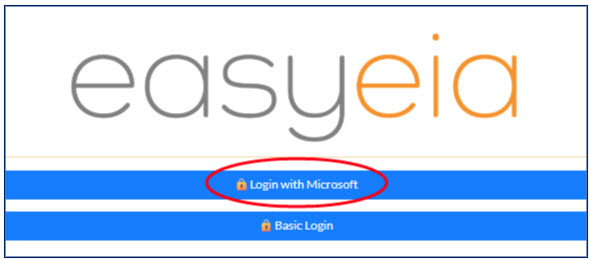
You will need to log in with Microsoft Authenticator. When prompted, select "Login with Microsoft" and sign in using the Microsoft account registered with Essential Energy.
What do you need to do?
- Communicate this information to relevant members of your organisation.
- Review the support material and instruction videos on the easyeai via the Essential Connections support page.
- Attend an introductory training session (optional but encouraged).
Further Information
If you need further information, please email techconnect@essentialenergy.com.au.
